WordPress is the world's most popular content management system, running over 43% of all websites. It is also the most common target for abusive DMCA complaints — not because WordPress sites infringe copyright more than others, but because their content (opinions, news, reviews, tutorials) is exactly what powerful organisations want to silence.
If you run a serious WordPress site, your hosting choice is a content protection decision, not just a technical one.
Why WordPress Sites Get Hit With DMCA Complaints
The content that WordPress excels at — long-form articles, reviews, investigative pieces, commentary, tutorials, comparison posts — is also the content that attracts takedown attempts:
Review Sites
A negative product review that ranks well in Google is worth more to a competitor or the reviewed company than almost anything they could buy. Filing a DMCA claim (often citing a screenshot, a quoted sentence, or an image) is a low-cost way to take that review down before a legal challenge is even necessary.
News and Journalism
Embedding a photo, quoting from a press release, or republishing a government document can trigger automated copyright claims from media companies or news agencies. These are often invalid fair use claims, but most hosts do not want to make that determination.
Tutorial and How-To Sites
Software tutorials that show screenshots of proprietary applications face claims from software companies. Step-by-step guides that reference branded content get hit by trademark-adjacent DMCA notices.
User-Generated Content Platforms
Forums, communities, and Q&A sites built on WordPress face the broadest exposure — any user can upload content that triggers a claim, and the site owner is responsible for the response.
What Happens on a Standard US Host
The standard process at a US-based host when a DMCA complaint arrives:
- Legal team receives the notice
- Account owner is notified (sometimes) and given 24–48 hours to respond
- If no counter-notice is filed, content is removed
- If this is a repeat complaint, the account may be suspended entirely
The host is following the law. Under the DMCA safe harbour provisions, hosts who comply promptly are protected from liability — so compliance is in their legal interest, regardless of whether the complaint is valid.
For you as the site owner, this means your content can disappear based on an unverified allegation, and restoring it requires filing a formal counter-notice that reveals your personal details to the complainant and waits another 10–14 business days.
What Changes With DMCA Ignored Hosting
When your WordPress site is hosted in the Netherlands or Romania:
- DMCA notices have no legal force — your host reviews them rather than auto-complying
- You are notified of complaints and given the chance to respond before any action is taken
- Invalid or abusive complaints are rejected and documented
- Your site stays online while disputes are resolved
- Your personal information is not automatically disclosed to complainants
The practical result: your content stays up, your business continues operating, and frivolous complainants learn quickly that targeting your host is not worth their time.
WordPress-Specific Features to Look For
Not all offshore hosts are equally well-suited for WordPress. When evaluating providers, look for:
LiteSpeed Web Server
LiteSpeed handles WordPress dramatically better than standard Apache. It has built-in caching (LSCACHE) that integrates natively with the free LiteSpeed Cache WordPress plugin, delivering page speeds that rival expensive enterprise caching setups.
PHP 8.x Support
WordPress 6.x requires PHP 8.0 or higher for best performance. Ensure your host supports PHP 8.1 or 8.2 and that you can switch PHP versions through cPanel's MultiPHP Manager.
One-Click WordPress Installation
Softaculous, available on cPanel-based hosts, installs WordPress in under two minutes. For hosts that manage multiple WordPress installs (reseller clients), this is a significant time-saver.
Free SSL
Let's Encrypt SSL is standard on all reputable hosts. Google now marks HTTP sites as "not secure" — there is no reason to pay for an SSL certificate when free options work identically.
Daily Backups
Any serious WordPress site needs automated daily backups stored off-server. Verify your host includes this, or plan to use a plugin like UpdraftPlus with remote storage.
Email Hosting
If you run a professional WordPress site, you need a professional email address (@yourdomain.com). cPanel-based hosts include email hosting as standard — you get IMAP/POP3 access and SMTP that works reliably with WordPress contact forms.
Should You Use Shared or Reseller Hosting?
The answer depends on how many WordPress sites you run:
One WordPress site: Shared hosting is the right fit. You get cPanel, Softaculous, LiteSpeed, and all the features above at the most affordable price point. It is plenty of resources for most blogs, business sites, and even moderate traffic content sites.
Multiple WordPress sites: This is where reseller hosting becomes the obvious choice. A reseller account at Qazi.Host lets you:
- Create a separate cPanel account for each WordPress installation
- Isolate sites so one site's issues do not affect others
- Allocate different resource pools to different sites based on traffic
- Manage all sites from a single WHM (Web Host Manager) dashboard
- White-label the hosting if you are reselling to clients
Developers and agencies who manage WordPress sites for multiple clients consistently find that a reseller account at an offshore host is the best combination of protection, value, and manageability.
Migration Checklist for WordPress Sites
Moving your existing WordPress site to offshore hosting is straightforward. The key steps:
- Back up your current site (files + database) before doing anything else
- Create your new hosting account and a database on the new server
- Use Duplicator or All-in-One WP Migration to move files and database
- Update wp-config.php with new database credentials
- Test the site using the server IP (or a hosts file edit) before switching DNS
- Update nameservers or A record to point to new server
- Enable SSL via Let's Encrypt in cPanel after DNS propagates
- Install LiteSpeed Cache plugin and enable page caching
Full step-by-step instructions are in our guide on setting up WordPress on DMCA ignored hosting.
Getting Started
If you are ready to move your WordPress site to a host that will not fold under the first complaint it receives, we are ready to help.
Our reseller hosting is the most popular choice for WordPress professionals managing multiple sites — great value, robust resources, and full WHM access. Our shared hosting is the fastest way to get a single WordPress site live on offshore infrastructure.
Have a question about whether your site qualifies, or need help planning your migration? Talk to our team — we respond quickly and know WordPress hosting inside out.
Written by
Ahtsham Khan Qazi
Founder & CEO, Qazi.Host · RHCSA · CCNA · 14+ years in server administration
Runs the shared, reseller and dedicated infrastructure behind Qazi.Host and writes these guides from the servers he administers. Corrections and questions are welcome on WhatsApp.
Read full bio →Related Articles
More guides on DMCA Ignored Hosting to help you make the right decision.
Is DMCA Ignored Hosting Legal? The Honest Answer
A straightforward guide to the legality of DMCA ignored hosting — who it is legal for, where it operates, and what the actual risks are. No legal jargon, no scare tactics.
What is DMCA Ignored Hosting? Complete Guide
DMCA ignored hosting lets website owners publish content without the fear of instant takedown from questionable abuse complaints. Learn how it works, who needs it, and how to choose a legitimate provider.

Best DMCA Ignored Hosting 2026: 6 Providers Honestly Compared
We tested and compared six of the top DMCA ignored hosting providers for 2026 — pricing, server location, abuse policy, support, and real uptime. One came out ahead on almost every metric.
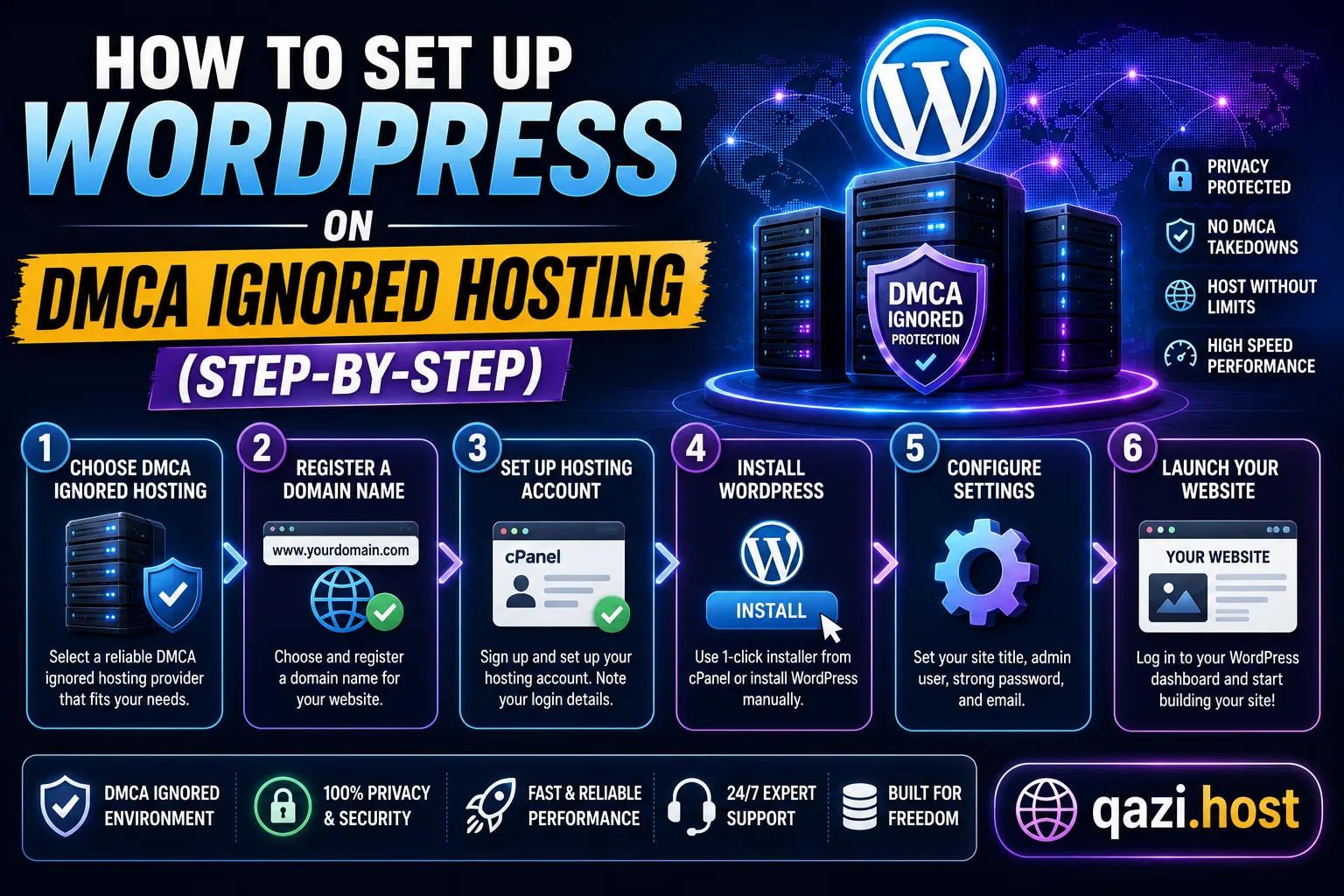
How to Set Up WordPress on DMCA Ignored Hosting (Step-by-Step)
Moving your WordPress site to DMCA ignored hosting is straightforward if you know the steps. This guide walks you through everything from choosing a plan to going live on your new offshore server.